I deleted the old blog roll gadget but still couldn't get new instances to display properly. After several reinstalls and some trial and error, I discovered the new problem hinged specifically on how each individual blog was added.
The blog roll is OK now, but I'll cover the issue in some detail for the benefit of any fellow bloggers who still have the same problem. One of the most frustrating aspects of this saga was the lack of information or help.
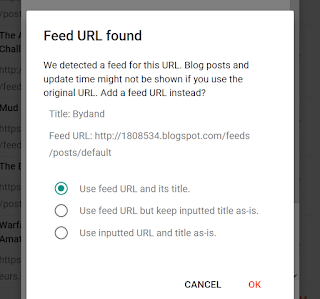
For each blog I found that I needed to enter the URL and the title freshly, either by typing or pasting. You will then get the following dialogue box, and I choose the first option:
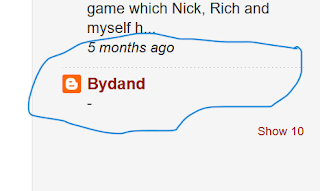
If, however, you allow Blogger to autocomplete the entry, the blog will be added but it will display like this and appear at the bottom:
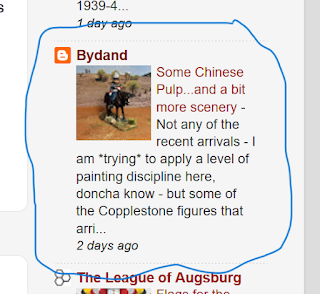
Presumably there's no feed. I haven't exhaustively experimented with every permutation. This works for me so I'm sticking with it. Done properly, the blog in question appears like this and in the correct order:
Blog rolls are important. They promote other blogs with shared interests, they provide the most convenient basis for interactivity, and they draw readers. I know of one person at least for whom my blog roll is his starting point for wargame surfing.